

By default, PostgreSQL comes with three databases: <strong>postgres</strong>, <strong>template0</strong>, and <strong>template1</strong>. While these databases are useful for managing PostgreSQL itself, they may not be relevant most times to your application, shell script oder ansible playbok and so on. In this article, i will explore how to find and count all databases except the default ones in PostgreSQL.
Initial situation
In my environment i have a a few databases, which where generated for this purpose only. As seen in the image, the postgres, template0 and template1 databases are marked in red. So lets get started to find all databases except these 3 and/or count them.
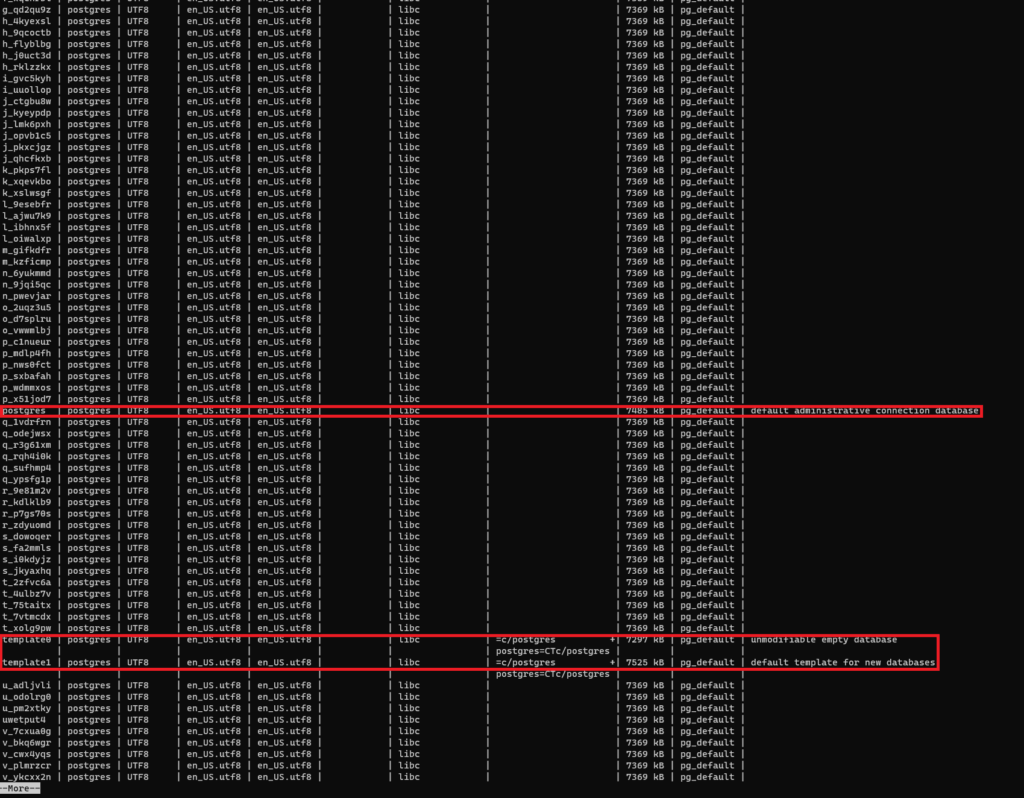
Finding all non-default databases in PostgreSQL
To find all non-default databases in PostgreSQL, you can use the following SQL query in the psql shell:
postgres=#SELECT datname FROM pg_stat_database WHERE datname NOT IN ('postgres', 'template0', 'template1');
This query selects all database names from the pg_stat_database system catalog table that are not equal to the three default databases.
Counting non-default databases in PostgreSQL
To count the number of non-default databases in PostgreSQL, you can modify the previous query by wrapping it in a subquery:
postgres=#SELECT COUNT(*) FROM ( SELECT datname FROM pg_stat_database WHERE datname NOT IN ('postgres', 'template0', 'template1') ) AS subquery;
This query counts the number of databases returned by the subquery, which is the list of non-default databases. This accounts for a total of 99 databases without the three default ones.
Getting non-default databases from the command line
If you prefer to use the command line to access PostgreSQL, you can use the following command to get all non-default databases:
<code>user@host:~$<span style="background-color: initial; font-family: inherit; font-size: inherit; color: var(--ast-global-color-5); font-weight: inherit;"> </span>
<span style="background-color: initial; color: var(--ast-global-color-5); font-family: inherit; font-size: inherit; font-weight: inherit;">psql -c "\\l" | awk '{print $1}' | grep -vE "\\(.|\\||List|Name|\\+|postgres|templ|^$"</span>
This command uses psql with the -c flag to execute the \l command, which lists all databases in PostgreSQL. The output is then piped to awk to extract the first column, which contains the database names. Finally, the grep command filters out the default databases, as well as any empty or special characters.
Conclusion
Finding and counting all non-default databases in PostgreSQL is a simple task, but it can be useful for managing multiple databases on a server. By using SQL queries or command-line tools like psql, you can quickly get a list of databases that are relevant to your application and perform operations on them as needed.